I have never thought of differentiating these 2 words. After reading article in ICIMOD newletter 47, I realized the difference. Information and knowledge are quite different things. People often intermix these words.
Knowledge is the ability to take effective actions. This means that just making infromation available is not enough - to become knowledge, information has to be able to have some kind of effect.
The story from Maharastra, India (in the article) gives a clear example of why knowledge and information are different entities.
What I preceive from this article is that Information is the raw material and knowledge is the product of the proper use of this raw material. Information, in itself, does have no use at all, unless people transform information into knowledge ie putting information into practice.
Wednesday, August 02, 2006


Tuesday, August 01, 2006
Dobhase - English Nepali Translation Tool
Well I was very elated to read news on the daily paper about the dobhase software,
http://nlp.ku.edu.np/dobhase/index_eng.php . It was funded by Asia-Pacific Development Information Programme under ICT R&D grant. For more details on the project proposal, click here. I tried few simple sentences, it was readable. But for webpage texts, it was illegible. The site claims that there are currently 22000 words supported by the translator. There's still a lot to work on for the more accurate and practical translation. I suppose people won't be translating simple sentences like "my name is ...", "how are you?". The web contents are pretty much complex. The attempt to start the project is indubitably praiseworthy. I hope to see this translator working fluently in the near future. All the best to the Dobhase development team.
http://nlp.ku.edu.np/dobhase/index_eng.php . It was funded by Asia-Pacific Development Information Programme under ICT R&D grant. For more details on the project proposal, click here. I tried few simple sentences, it was readable. But for webpage texts, it was illegible. The site claims that there are currently 22000 words supported by the translator. There's still a lot to work on for the more accurate and practical translation. I suppose people won't be translating simple sentences like "my name is ...", "how are you?". The web contents are pretty much complex. The attempt to start the project is indubitably praiseworthy. I hope to see this translator working fluently in the near future. All the best to the Dobhase development team.
Monday, May 01, 2006
GOOD Software List
I found link to a huge list of softwares at http://www.ramsinks.com/software.asp. Most of them are freewares. I have tried some of them. I find it very useful at times. Hope you will also. Enjoy...
Thursday, April 27, 2006
ascii2unicode - an utility for ascii to unicode transformation in nepali
ascii2unicode is an utility that transforms nepali font in ascii to corresponding unicode. One can find similar type of utility called Rupander from mpp.org.np, however it lacks an ability to address varieties of nepali fonts with different keyboard layout. ascii2unicode is developed to address that issue, by the usage of an external xml mapping data file. One can create such file for any font and the application will display those fonts in a selection option and the transformation is done accordingly. More test is needed for error free transformation. I have included binary at the following location for review only.
http://www.box.net/public/ahngdkf6a9
http://www.box.net/public/ahngdkf6a9
Monday, April 24, 2006
working with XML
I know XML is a great technology but I never tried to learn more than needed. I was just using it for configuration file. The greatness about XML is it doesn't complain, unless you use standard library and your XML tag doesn't confirm to the standards. Recently I am working on an application that will tranform ascii font to unicode, in nepali. In nepali, the fonts are not standard so mapping of one font is not necessarily the same as for another font. The solution is to create XML file for each font. I used XML to replace text files I was using previously. I need to make sure that XML file is valid, I am thinking of releasing it soon to the public and the people should be able to create a new XML file if needed or the change the existing one as required. This great technology has provided XSD that will confirm the validity of XML file. I spent almost 1 hour to write xsd file manually, peering into examples and the source xml file. It worked and just in time I found a tool that will automatically generate xsd from source xml file. This tool xsd.exe is bundled with .net SDK framework. I am really enjoying xml. It's a great tool with lots of tools and libraries for manipulating it and it indeed has a tremendous potentials.
Thursday, April 20, 2006
My reminiscence of OpenGL
Today I came across the memory game code, using OpenGL in MFC, that I coded 3 years back. It took me almost an hour to get this code working into an exe. I don't any idea of versioning then. Now I couldn't wait to send it to my subversion repository. The code is really bad, that was the time when I came across nehe.gamedev.net, the tutorials provided by nehe inspired me to write some interesting code of my own. I did and left unknown to the rest. It was really interesting to see it working now. It was consuming almost 90% of CPU continuously. It shouldn't now. I used the CPU idle time for rendering, I am thinking of rewriting the code from scratch again and using threading than idle time, with code comments and really useful documentation. Currently you can move the perpective using arrow keys. You can play around to see the effects. This is not a game yet, the time, level are to be implemented, hopefully in my next version. I have also included source in case you are interested. Some screenshots to give you the rough idea.
download binary
download source

Simple One
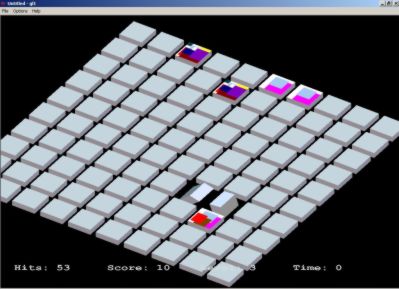
Complex One, which can be chosen from the options menu
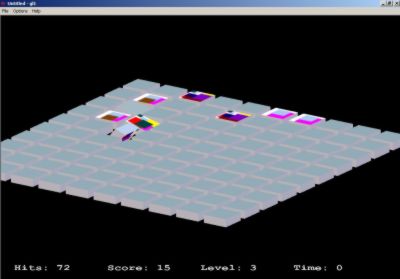
Complex one from different perpective, can be altered using arrow keys
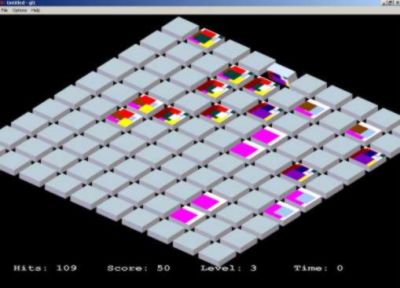
Same as above
download binary
download source

Simple One
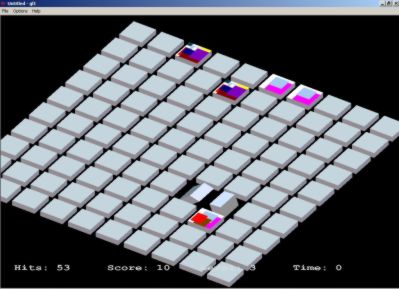
Complex One, which can be chosen from the options menu

Complex one from different perpective, can be altered using arrow keys
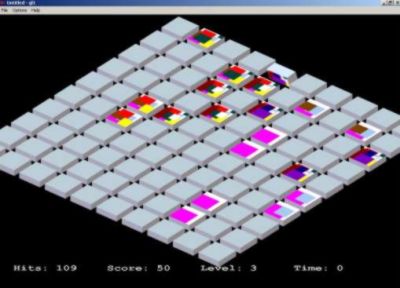
Same as above
Tuesday, April 11, 2006
Just 5 lines to generate dynamic PDF in php
Normally we don't care about technologies until we need them and later wondered ...that's great. The same happened to me today. Asked to generate pdf dynamically and after googling for few minutes, i got hold of perfect library; perfect because it doesn't require you to install modules and change configuration. If you want to use PDF functions listed in the php manual, then you would have to install the extension. However this great site http://www.ros.co.nz/pdf/ has the perfect solution for dynamic pdf creation.
Just download the zip file from the site. Unzip to some folder in your document root.
Create a new file and add the following code to see the effect in a second. You will also find some example in the readme.pdf, packed in the zip file. You can also have html tags in the passed string. Isn't that 5 lines of code amazing?
Just download the zip file from the site. Unzip to some folder in your document root.
Create a new file and add the following code to see the effect in a second. You will also find some example in the readme.pdf, packed in the zip file. You can also have html tags in the passed string. Isn't that 5 lines of code amazing?
     $doc = "Hello World!!!!";
    include ('class.ezpdf.php');
    $pdf =& new Cezpdf();
    $pdf->selectFont('./fonts/Helvetica.afm');
    $pdf->ezText($doc,10);
    $pdf->ezStream();
?>
Sunday, April 09, 2006
Get NT services by their Horns
Command line interface for windows users is highly unlikely. Windows is not designed for such. One will not doubt that using command line interface is very efficient compared to GUI counterpart. Remember our mighty Linux!! . Especially I don't like to start services.msc whenever I need to start/stop/restart some services, like I have installed apache, mysql as services and I need to start/stop them ferquently. That's when I get to understand the use of CLI in dealing with NT services.
If you know the service name, you can use net start/net stop
>net start servicename
>net stop servicename
To find the servicename, start services from MMC(Microsoft Management Console) or type services.msc at the start->run and enter.
However this requires you to open GUI, which indubitably consumes RAM. There's another utitity sc, which is defined in its help as
SC is a command line program used for communicating with the NT Service Controller and services.
USAGE:
sc <> [command] [service name] <> <>...
The option <> has the form "\\ServerName"
Further help on commands can be obtained by typing: "sc [command]"
Commands:
query-----------Queries the status for a service, or
enumerates the status for types of services.
queryex---------Queries the extended status for a service, or
enumerates the status for types of services.
start-----------Starts a service.
pause-----------Sends a PAUSE control request to a service.
interrogate-----Sends an INTERROGATE control request to a service.
continue--------Sends a CONTINUE control request to a service.
stop------------Sends a STOP request to a service.
config----------Changes the configuration of a service (persistant).
description-----Changes the description of a service.
failure---------Changes the actions taken by a service upon failure.
qc--------------Queries the configuration information for a service.
qdescription----Queries the description for a service.
qfailure--------Queries the actions taken by a service upon failure.
delete----------Deletes a service (from the registry).
create----------Creates a service. (adds it to the registry).
control---------Sends a control to a service.
sdshow----------Displays a service's security descriptor.
sdset-----------Sets a service's security descriptor.
GetDisplayName--Gets the DisplayName for a service.
GetKeyName------Gets the ServiceKeyName for a service.
EnumDepend------Enumerates Service Dependencies.
The following commands don't require a service name:
sc <> <> <>
boot------------(ok | bad) Indicates whether the last boot should
be saved as the last-known-good boot configuration
Lock------------Locks the Service Database
QueryLock-------Queries the LockStatus for the SCManager Database
With sc in hand, you can do anything with services as that in case of GUI.
Let's say you want to see all the running services.
>sc query
Our eyes certainly don't allow us to see at such speed. You may use the following to send output to the file and look at the running services taking your time.
>sc query > c:\runningservices.txt
A file named runningservices.txt will be created at c:\. A sample of one of those services looks something like this
SERVICE_NAME: ALG
DISPLAY_NAME: Application Layer Gateway Service
TYPE : 10 WIN32_OWN_PROCESS
STATE : 4 RUNNING
(STOPPABLE,NOT_PAUSABLE,IGNORES_SHUTDOWN)
WIN32_EXIT_CODE : 0 (0x0)
SERVICE_EXIT_CODE : 0 (0x0)
CHECKPOINT : 0x0
WAIT_HINT : 0x0
runningservices.txt in my c:\ is almost 380 lines. Only the servicename or display name would have sufficed. findstr came to my rescue.
Piping (usage of |) is popular among linux users, with which you can feed the output of one command to next command . I am happy to see the Microsoft also has provision for pipes in its CLI.
Now to get the services names only, try this
>sc query | findstr /I service_name
/I will make findstr case-insensitive.
Type findstr /? for more options
I hope you can now send the output to file easily. Incase of confusion, try this
>sc query | findstr /I service_name > c:\runningservicesonly.txt
To get the names of all the services
>sc query state= all | findstr /I service_name
Note there's no space between space and =; and there's space between = and all.
I don't understand why MS compelled us to do this.
To get display names of inactive or stopped services
>sc query state= inactive | findstr /I display_name
Like net start and stop, you can also start/stop the services using sc
Let's say you know there should be service called apache but you are not sure about the service name and You need it to start or stop the service. Please forget about services.msc. I am trying to focus on CLI.
I typed the following command
>sc query state= all | findstr /I apa
The output being
SERVICE_NAME: Apache2
DISPLAY_NAME: Apache2
Now the service Apache2 can be started using
>sc start apache2
To ensure whether it is running or not
>sc query apache2
For extra details,
>sc queryex apache2
To stop
>sc stop apache2
Let's say you delete the apache folder manually but forget to run the script that deletes apache service from MMC. Don't worry if that happens to you, with sc at hand, you can even outrun GUI.
>sc delete apache2
I don't think NT services have horns to get them by, as title says you to. But I hope you are in a position to get them without mouse. Happy getting serviced.
I tried the above commands in Windows XP (SP2). I haven't tried sc in other flavors of windows 2000, XP and 2003. Please find yourself and let others know in case.
If you know the service name, you can use net start/net stop
>net start servicename
>net stop servicename
To find the servicename, start services from MMC(Microsoft Management Console) or type services.msc at the start->run and enter.
However this requires you to open GUI, which indubitably consumes RAM. There's another utitity sc, which is defined in its help as
SC is a command line program used for communicating with the NT Service Controller and services.
USAGE:
sc <> [command] [service name] <> <>...
The option <> has the form "\\ServerName"
Further help on commands can be obtained by typing: "sc [command]"
Commands:
query-----------Queries the status for a service, or
enumerates the status for types of services.
queryex---------Queries the extended status for a service, or
enumerates the status for types of services.
start-----------Starts a service.
pause-----------Sends a PAUSE control request to a service.
interrogate-----Sends an INTERROGATE control request to a service.
continue--------Sends a CONTINUE control request to a service.
stop------------Sends a STOP request to a service.
config----------Changes the configuration of a service (persistant).
description-----Changes the description of a service.
failure---------Changes the actions taken by a service upon failure.
qc--------------Queries the configuration information for a service.
qdescription----Queries the description for a service.
qfailure--------Queries the actions taken by a service upon failure.
delete----------Deletes a service (from the registry).
create----------Creates a service. (adds it to the registry).
control---------Sends a control to a service.
sdshow----------Displays a service's security descriptor.
sdset-----------Sets a service's security descriptor.
GetDisplayName--Gets the DisplayName for a service.
GetKeyName------Gets the ServiceKeyName for a service.
EnumDepend------Enumerates Service Dependencies.
The following commands don't require a service name:
sc <> <> <>
boot------------(ok | bad) Indicates whether the last boot should
be saved as the last-known-good boot configuration
Lock------------Locks the Service Database
QueryLock-------Queries the LockStatus for the SCManager Database
With sc in hand, you can do anything with services as that in case of GUI.
Let's say you want to see all the running services.
>sc query
Our eyes certainly don't allow us to see at such speed. You may use the following to send output to the file and look at the running services taking your time.
>sc query > c:\runningservices.txt
A file named runningservices.txt will be created at c:\. A sample of one of those services looks something like this
SERVICE_NAME: ALG
DISPLAY_NAME: Application Layer Gateway Service
TYPE : 10 WIN32_OWN_PROCESS
STATE : 4 RUNNING
(STOPPABLE,NOT_PAUSABLE,IGNORES_SHUTDOWN)
WIN32_EXIT_CODE : 0 (0x0)
SERVICE_EXIT_CODE : 0 (0x0)
CHECKPOINT : 0x0
WAIT_HINT : 0x0
runningservices.txt in my c:\ is almost 380 lines. Only the servicename or display name would have sufficed. findstr came to my rescue.
Piping (usage of |) is popular among linux users, with which you can feed the output of one command to next command . I am happy to see the Microsoft also has provision for pipes in its CLI.
Now to get the services names only, try this
>sc query | findstr /I service_name
/I will make findstr case-insensitive.
Type findstr /? for more options
I hope you can now send the output to file easily. Incase of confusion, try this
>sc query | findstr /I service_name > c:\runningservicesonly.txt
To get the names of all the services
>sc query state= all | findstr /I service_name
Note there's no space between space and =; and there's space between = and all.
I don't understand why MS compelled us to do this.
To get display names of inactive or stopped services
>sc query state= inactive | findstr /I display_name
Like net start and stop, you can also start/stop the services using sc
Let's say you know there should be service called apache but you are not sure about the service name and You need it to start or stop the service. Please forget about services.msc. I am trying to focus on CLI.
I typed the following command
>sc query state= all | findstr /I apa
The output being
SERVICE_NAME: Apache2
DISPLAY_NAME: Apache2
Now the service Apache2 can be started using
>sc start apache2
To ensure whether it is running or not
>sc query apache2
For extra details,
>sc queryex apache2
To stop
>sc stop apache2
Let's say you delete the apache folder manually but forget to run the script that deletes apache service from MMC. Don't worry if that happens to you, with sc at hand, you can even outrun GUI.
>sc delete apache2
I don't think NT services have horns to get them by, as title says you to. But I hope you are in a position to get them without mouse. Happy getting serviced.
I tried the above commands in Windows XP (SP2). I haven't tried sc in other flavors of windows 2000, XP and 2003. Please find yourself and let others know in case.
Tuesday, April 04, 2006
greasemonkey
I installed greasemonkey extension to firefox long ago but never tried to understand what it is for? though i read that it is very powerful and easy, i found that for the first time today, when i could change the stylesheet of google homepage by installing scripts and enabling greasemonkey... there are many greasemonkey user scripts scattered around the net... with such, you can also disable google ads on website, sometimes very annoying... so you are changing the way the website looks in your firefox browser... the whole concept is amazing... bless greasemonkey...
anjeshtuladhar.googlepages.com
today i got mail from the google pages to start creating my pages at anjeshtuladhar.googlepages.com... i just love google..
Friday, March 31, 2006
Want to revert your document a month back?
I used to create a file like myfile.doc, after 2 days i would create another file myfile.bak.doc and after a week, another file names myfile20060203.doc. Soon my folder gets cluttered with different versions myfile.doc. The reason is I have no idea of versioning system, that existed in the software development world way long back. i thought why can't I do the versioning with my personal document? I could and did. This following article which links to anjesh.com.np will help you get going with versioning your document. This works with plain text files and docs. Versioning other binary files like images, mp3, mpeg, exe don't make sense. But you can experiment and see it yourself and maybe let others know what else could you version with svn successfully. I haven't tried others besides ascii files and docs.
Ever wonder what changes do you make last week in your document? You want to revert your document to your last week and now you have to think hard to remember what you wrote. Such obstacles are not a part of open source developers working from around the world on the same project; the source code versioning system was developed to mitigate the potential problems and conflicts in collaboration projects. This is not-to-be-ignored system if a team of developers are working on a project. We won't delve into source code versioning but the same idea can be applied to your personal documents.
Ever wonder what changes do you make last week in your document? You want to revert your document to your last week and now you have to think hard to remember what you wrote. Such obstacles are not a part of open source developers working from around the world on the same project; the source code versioning system was developed to mitigate the potential problems and conflicts in collaboration projects. This is not-to-be-ignored system if a team of developers are working on a project. We won't delve into source code versioning but the same idea can be applied to your personal documents.
Thursday, March 30, 2006
nusoap is easy
I used soap for the first time and in php. It was easy. Just one simple example will get you going.
Monday, March 27, 2006
Ovidiu Predescu's Weblog: Copyright and licenses
Ovidiu Predescu's Weblog: Copyright and licenses
this is interesting .. understanding of licences is of utmost importance if you are in IT field, in particular open source. I still need to do through study of all those licences...
this is interesting .. understanding of licences is of utmost importance if you are in IT field, in particular open source. I still need to do through study of all those licences...
Thursday, March 23, 2006
ClamWin is great
Don't know how but our intranet was invaded by worms today. After googling for some time, clamwin came to the rescue, the open sourse anti virus is also able to detect those worms. However when I tried to run clamwin in command prompt, it gave error showing some linux path /usr/..., must have been a bug, but i haven't checked it throughly. Well this open source product also runs on linux and it doesn't have huge size, I haven't checked all the features yet. I hope it is enough for personal use.
Sunday, March 19, 2006
MSSql server..why difficult to configure?
MSsql server is more than little hard in configuring. Previously i did many hours of study to make that server work in the network, i mean i could n't run the server in the port listening mode. Finally upgrading to SQLServer2k SP3 helps and now i don't have any problem in accessing the database from asp.net across the network. However I don't like MSSql server, first of all it is hard to configure, finding solutions to problems is not an easy task, it has lots of dependencies scattered around the hard disk. Hail mysql and firebird.
Tuesday, March 14, 2006
completed my site
Today i was busy preparing my site, that i developed in mambo. I think Mambo is good for personal site. Before I tried with Drupal (drupal.org) and i felt it was a little huge and complex for a personal site. Hopefully I will upload the entire site by tomorrow. see http://www.anjesh.com.np
Now you will find that site is developed in domAPI, an amazing javascript library, you can move icons around in anjesh.com.np as in your desktop and you have to double click the icon to see the content. Though the looks is appealing, loading entire set of javascript library is slow, the major reason for porting to mambo (mamboserver.com) .
I found a useful tool xnview (xnview.com), that allows batch processing of images like renaming, resizing and a lot more.., which i needed for my site gallery.
Now you will find that site is developed in domAPI, an amazing javascript library, you can move icons around in anjesh.com.np as in your desktop and you have to double click the icon to see the content. Though the looks is appealing, loading entire set of javascript library is slow, the major reason for porting to mambo (mamboserver.com) .
I found a useful tool xnview (xnview.com), that allows batch processing of images like renaming, resizing and a lot more.., which i needed for my site gallery.
Friday, December 23, 2005
confused
I was talking with my coworker today about java stuffs.. interesting and confusing... there are so many frameworks and so many things that it's very hard to keep up with all those stuffs... however to stand out in a crowd one needs to know the concepts, and details will be dealt if necessary....
i myself have been trying to do a lots of things for a past couple weeks... it's really hard to keep up with one thing... like i was reading a book on datawarehouse one day, the next day i am doing python, the third day i am studying the virus source codes, and CDMA and blah blah.... i wonder if this happens to other people also....
there are so many things and so little time... but a little time management should help.... i even bought a self help book titled 'first things first', read half and the remaining is pending... these books are amazing.... really gives you a direction to look into yourself..... i even read a book 'think like a winner' by walter staples... it was excellent... you are what you think...is what this entire book is all about.... if you think, you are a winner, then you are... but you should be committed to it.... i think this thing works.... it did to me...
i have to write admission essays .... there are so many things and yet i am not feeling like doing any of those .... don't remind me of that fierce GRE......
GPRS is not that fun as it sounds... maybe because of its speed and also the mobile screen is toooo small.... anyway technology is a wonder..
i myself have been trying to do a lots of things for a past couple weeks... it's really hard to keep up with one thing... like i was reading a book on datawarehouse one day, the next day i am doing python, the third day i am studying the virus source codes, and CDMA and blah blah.... i wonder if this happens to other people also....
there are so many things and so little time... but a little time management should help.... i even bought a self help book titled 'first things first', read half and the remaining is pending... these books are amazing.... really gives you a direction to look into yourself..... i even read a book 'think like a winner' by walter staples... it was excellent... you are what you think...is what this entire book is all about.... if you think, you are a winner, then you are... but you should be committed to it.... i think this thing works.... it did to me...
i have to write admission essays .... there are so many things and yet i am not feeling like doing any of those .... don't remind me of that fierce GRE......
GPRS is not that fun as it sounds... maybe because of its speed and also the mobile screen is toooo small.... anyway technology is a wonder..
Monday, December 05, 2005
The First day
This is just the first day and I really had no idea what to write at all. Anyways I didn't do any meaningful task today, though i managed to complete a small script in python, that will dump the mysql databases, defined in the configuation file, to some directory. That script is set up in cron so that it can be executed every day. I don't know if one is supposed to write such thing in a blog, anyway just a beginning.
Subscribe to:
Posts (Atom)

